
Color-Coded Activation: Visual Systems
That Cut MARPE Errors
Reduce complications with indexed tracking
Standardized visual systems eliminate activation guesswork, improve patient compliance, and deliver predictable skeletal response in MARPE treatment.
TL;DR Color-coded activation systems reduce MARPE errors by providing clinicians and patients with standardized visual cues for screw position and turn count. These visual tracking methods—such as marked rotation guides and indexed activation protocols—improve compliance, prevent over-activation, and minimize complications during miniscrew-assisted rapid palatal expansion.
Activation errors remain one of the most frequent complications in miniscrew-assisted rapid palatal expansion (MARPE) practice. Whether from careless protocol switching, inadequate patient instruction, or loss of activation tracking between appointments, these mistakes compromise skeletal response and increase the risk of root resorption, screw loosening, and dentoalveolar side effects. Dr. Mark Radzhabov and clinical specialists recognize that standardized visual systems—color-coded guides, marked activation keys, and indexed reference markers—can dramatically reduce activation errors while improving patient adherence. This article reviews evidence-based visual activation protocols that transform MARPE from a high-error procedure into a predictable, trackable expansion system.
What Is Color-Coded Activation
in MARPE?
Color-coded activation is a standardized visual tracking system that uses marked guides, indexed rotation keys, and patient reference cards to ensure precise screw advancement during miniscrew-assisted rapid palatal expansion. Clinical evidence shows that activation errors—including protocol confusion, inconsistent turn rates, and patient non-compliance—occur in a significant proportion of MARPE cases, directly compromising skeletal response and increasing dentoalveolar side effects.
Traditional MARPE systems rely on the clinician's memory and handwritten notes to track screw position. This approach creates multiple failure points: the orthodontist may switch between different appliance protocols (such as MSE vs. BENEfit), patients may forget instructions between appointments, or activation rates may drift over weeks of home care. Color-coded systems mitigate these errors by assigning visual markers—such as numbered rotation indices, color bands on the activation key, or marked reference points on the screw head—that immediately show the current position and the target position for the next activation.
The core principle is visual redundancy: if the patient, parent, or clinical assistant can see the turn count and reference position directly, they cannot accidentally over-turn or skip turns. Markers on the screw housing, indexed keys with matching colors, and laminated patient cards create a self-checking system that requires no memory and minimal verbal instruction. This approach has reduced activation-related complications in practices that have adopted it systematically.
Color-coded systems also serve a medico-legal function: they provide documented evidence that activation was performed correctly, which becomes critical in case of complications or treatment disputes. Each activation can be photographed against the marked reference, creating a visual audit trail of treatment progression.
The Clinical Cost of Untracked
MARPE Activation
Miniscrew-assisted rapid palatal expansion delivers superior skeletal response compared to tooth-borne RPE, provided activation is precise and consistent. A prospective randomized clinical trial (Chun et al. (2022), BMC Oral Health) comparing RPE and MARPE using low-dose cone-beam computed tomography found that MARPE produced greater increases in nasal width at the molar region and greater palatine foramen width, with 90–95% rates of midpalatal suture separation. However, these benefits depend entirely on correct activation protocol.
When activation is inconsistent or interrupted, the midpalatal suture fails to separate consistently, and skeletal expansion regresses to dentoalveolar compensations—buccal tipping of anchor teeth, alveolar bone loss, and periodontal stress. Over-activation, conversely, risks root resorption and screw loosening. Under-activation wastes treatment time and forces reliance on subsequent fixed appliance mechanics to achieve width gains. Each of these outcomes reduces the skeletal benefit that MARPE offers and extends overall treatment duration.
Clinical observations from practices with high activation error rates show that complications cluster in patients lacking clear visual tracking systems. Root resorption risk increases, screw stability deteriorates, and patient motivation declines when they cannot see tangible progress. By contrast, practices using color-coded systems report improved patient adherence, fewer missed or double-activations, and more predictable skeletal closure of the midpalatal suture within the target 8+ week consolidation window.
Implementing a Color-Coded Activation
Protocol
Effective color-coded activation systems use three visual layers: appliance markers, activation key indicators, and patient reference cards. Each layer reinforces the others, ensuring that no single failure point breaks the system.
Appliance Markers: The screw housing is marked with numbered reference lines (1, 2, 3… turns), colored bands, or embossed indices. As the screw advances, a fixed marker (laser-etched or adhesive dot) on the surrounding palatal structure aligns with the appliance index, showing current position at a glance. This marking must be performed at screw insertion by the surgeon or orthodontist and must remain visible throughout treatment. High-visibility inks (white, yellow, or contrasting colors) work best in the moist palatal environment.
Activation Key Indicators: The driver or activation key used to turn the screw should have color bands or numerical markings that correspond to turn count and date. Some systems use a scalloped edge or notched profile that locks onto a reference position on the screw head, making over-turning mechanically impossible. The BENEfit system and MSE both offer indexed keys. Using the correct key for the correct appliance eliminates protocol errors.
Patient Reference Cards: Laminated or waterproof cards given to the patient at each appointment show (1) the current marked position on a diagram, (2) the target position for the next activation, (3) the number of turns required, (4) the date and time of next appointment, and (5) emergency contact. Patients photograph this card before each home activation and send the image to the office for verification. This creates a documented record and gives the orthodontist real-time feedback on compliance.
Integration into clinical workflow requires three steps: (1) mark the screw at insertion; (2) photograph the baseline position for the patient record; (3) issue a laminated card with next appointment details and activation instructions printed in large text. At each follow-up, verify the marked position against the card, update the card if needed, and photograph the new position before issuing the updated card.
Preventing Activation Errors Despite
Visual Systems
Even with color-coded systems in place, activation errors persist when clinicians lack discipline in three areas: baseline documentation, protocol consistency, and patient accountability.
Baseline Documentation Failure: If the initial screw marking is faint, misaligned, or incomplete, subsequent activations become unreliable. The first error—marking the screw imprecisely at insertion—cascades through the entire treatment. Solution: use a magnification loupe and high-contrast ink (white or yellow) during screw placement. Photograph the marked screw under standardized lighting before seating it fully. This baseline image serves as the reference standard for all future activations.
Protocol Switching Without Updating Visual Markers: Clinicians sometimes use the same MARPE appliance but switch between different activation protocols (faster rates during consolidation vs. initial expansion, or different turn frequencies for different appliance brands). If the visual system (card, key, or screw marking) is not updated to reflect the new protocol, patients follow the old system and activation drifts. Solution: reissue patient cards whenever protocol changes, and mark the change date prominently on both card and chart. Do not assume patients will remember verbal instructions.
Patient Accountability Gaps: Laminated cards are useless if patients do not carry them, photograph them, or return images for verification. Some patients discard the card or leave it at home. Others perform activation but forget to document it. Solution: require photo or video submission within 24 hours of each activation. Use a patient portal or simple WhatsApp group for submission. Practices that require documentation see marked improvements in compliance and catch activation errors in real time, not months later.
A third subtle error is screw marker drift: if the marking ink is not truly fixed to the screw or the surrounding tissue, moisture, food, or repeated mechanical stress can blur or shift the index. Use only permanent markers designed for dental implants (laser-etched or ceramic-coated). Avoid standard ballpoint pens or markers, which wash away within days.
Translating Color-Coded Systems Into
Daily Practice
Adopting a color-coded MARPE activation system requires changes to three areas of your practice: surgical/insertion protocols, patient communication, and appointment documentation.
At Insertion: Before seating the screw, mark it with permanent, high-contrast ink under magnification. Use a dental marking pen or laser-etch system (many implant manufacturers offer this service). Take a baseline photograph showing the marked screw, the reference marker on the palate, and the patient's open mouth (so palatal anatomy is visible). File this photo in the patient record as the zero-turn baseline. Print a laminated patient card showing a simple diagram of the marked screw position and the first turn target. Include appointment date, activation schedule (e.g., 4 turns on day of surgery, then 3 turns/day for 10 days), and emergency contact. Hand the card to the patient or parent and review it in person—do not assume they will read written instructions alone.
At Home Activation: Instruct the patient to photograph the marked screw next to the laminated card before each activation (or have a family member do so). Specify that the photo should show both the current marked position and the target line clearly. Require submission via WhatsApp, patient portal, or email within 24 hours. This serves dual purposes: it documents that activation occurred and it flags problems (over-activation, skipped turns, screw loosening) in real time so you can intervene before complications occur. For non-compliant patients or those without reliable photography, schedule in-office activations (e.g., every 3 days) instead of home activation.
At Recheck Appointments: Before examining the patient, review the submitted photos. Verify that turn count matches your expectations. Photograph the current marked position in the same standardized format as baseline (open mouth, good lighting, marked screw visible). Compare photos to detect any unexpected screw movement or marker drift. Update the patient card with the new marked position and print a new copy for the next activation cycle. This routine creates a visual audit trail and makes activation errors nearly impossible to miss.
Dr. Mark Radzhabov's practices demonstrate that clinicians who implement these three steps—standardized marking at insertion, photo-documented home activation, and recheck photo comparison—achieve near-zero activation errors and report higher patient satisfaction than those relying on written notes or memory.
Troubleshooting Activation Errors
When They Occur
Despite standardized systems, activation errors will occasionally occur. The key is rapid detection and correction. Common errors include double-activation (patient turns the screw twice in one day, exceeding the planned rate), skipped activation (patient forgets a day), over-activation (patient turns more than prescribed), and marker drift (the ink reference shifts or fades).
Double-Activation: If photo documentation reveals that the screw advanced more than planned, verify immediately by phone or video call. Ask the patient to photograph the current position again and compare to the expected position. If over-activation is confirmed (e.g., patient advanced 5 turns when only 3 were prescribed), instruct the patient to skip the next 2 scheduled activations to allow tissue response to catch up. Do not reverse-turn the screw, as this can damage the screw threads or strip the activation key. Document the error, photograph the corrected plan, and reissue the patient card with adjusted dates.
Skipped Activation: If the patient misses one or more activation days, the screw halts but does not regress (the threads lock it in place). Resume at the next scheduled activation without attempting to “make up” missed turns. If multiple activations are skipped (e.g., 3+ days), you may need to extend the overall expansion timeline by 1–2 weeks. Some clinicians reduce the turn rate for the remainder of the cycle to maintain steady pressure. Photograph the recovered position and update the patient card with the new end-date target.
Marker Drift: If the reference mark fades or shifts, re-mark the screw at the next appointment using the current marked position as the reference (essentially, you create a new baseline relative to the previous mark). Photograph both the old mark and the new mark in the same image so the transition is documented. Update the patient card to reference the new mark going forward.
Screw Loosening: If photos or clinical examination reveal that the screw has rotated or loosened (indicated by play in the activation key or a shifted mark that does not correlate to the turns performed), stop activation immediately. Contact your surgical team or the implant manufacturer for re-tightening protocols. Do not allow the patient to continue home activation. Loosening can cascade into complete screw failure if not caught early, so photo documentation's real-time feedback is critical here.
Each error should be documented in a separate chart note with photos attached, describing the error, the correction made, and the new plan. Over time, patterns emerge: certain patients are prone to over-activation, certain protocols are more error-prone, and certain appliance systems show higher marker-drift rates. Use these patterns to refine your baseline marking technique, patient instructions, and selection of which patients are candidates for home activation versus in-office activation.
Free Clinical Guide
Which Expansion Appliance at Which Age?
Get Dr. Mark Radzhabov's guide to skeletal-expansion appliances — indications, pros & cons, and how to choose by patient age. Free to your inbox.
Prefer video? Watch the free demo lesson on MARPE appliance types, features and trade-offs.
Documented outcomes
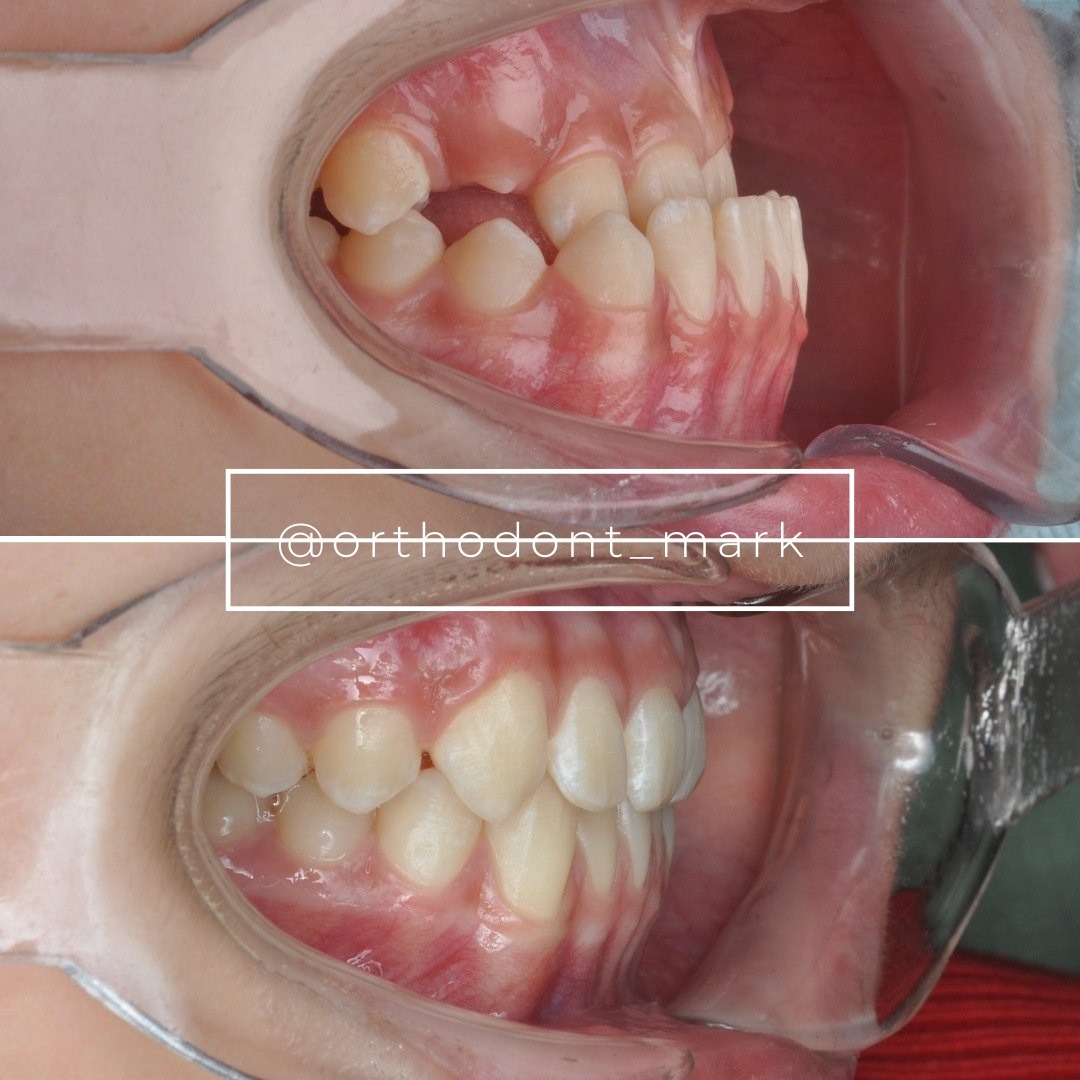
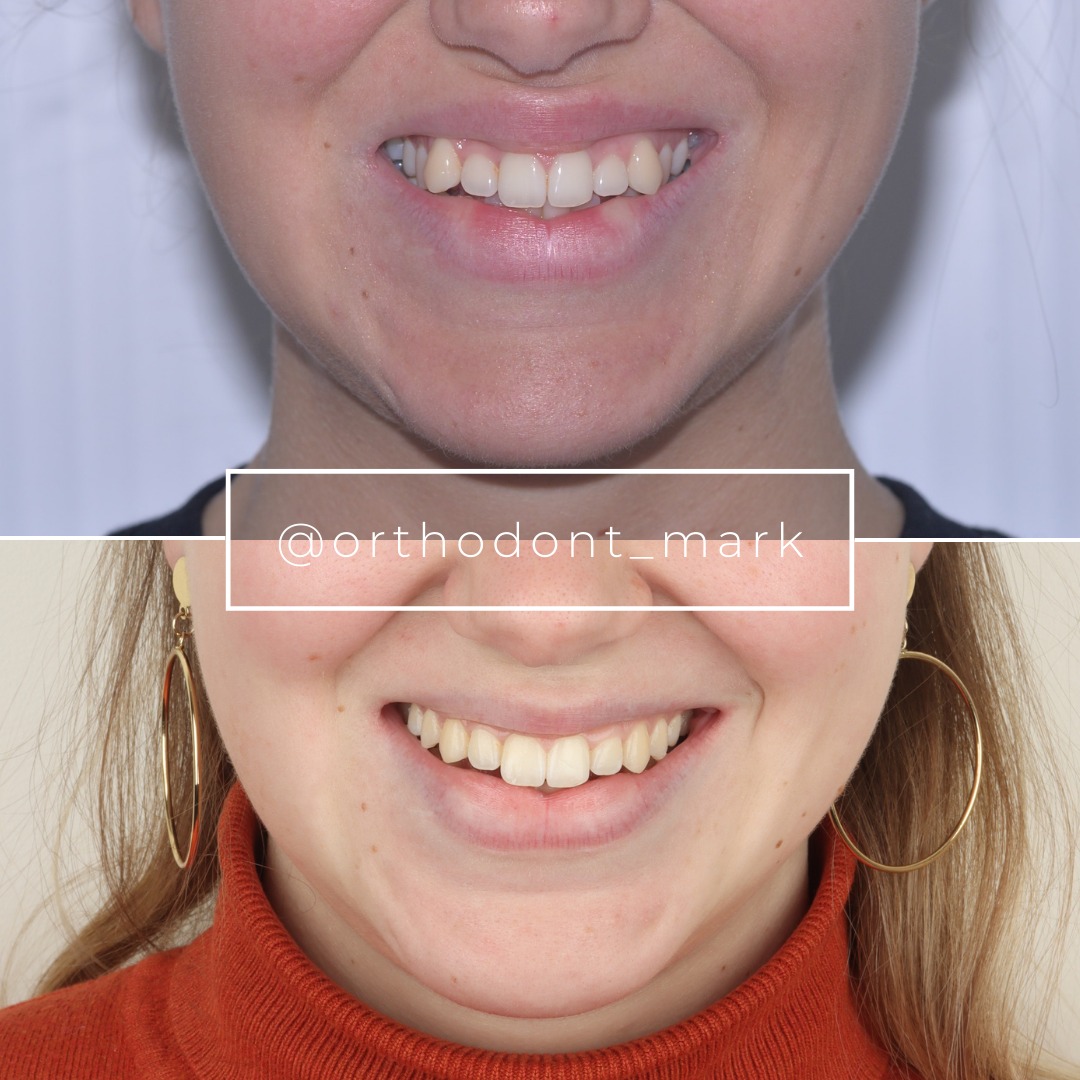
Clinical cases from Dr. Mark Radzhabov's practice

Learn the full MARPE protocol from Dr. Mark Radzhabov
Fundamental course covering CBCT patient selection, miniscrew planning, activation protocols, and 60+ clinical cases. Choose the access level that fits your practice.
Essentials of rapid palatal expansion for practicing orthodontists.
- Core RPE concepts and biomechanics
- 6 structured video lessons
- Clinical decision checklists
- Lifetime access to recordings
Deep-dive into MARPE protocol, diagnostics, and clinical execution.
- 6 modules covering MARPE from A to Z
- CBCT case selection walkthroughs
- Miniscrew placement and activation
- 60+ annotated clinical cases
- Direct Q&A with Dr. Mark Radzhabov
5-element medical consultation framework for dentists and orthodontists.
- Trust-building consultation protocol
- 5 lesson modules
- Templates for treatment plan delivery
- Works with any clinical specialty
Clinical FAQ
What is the most common activation error in MARPE treatment?
Protocol switching—using the insertion protocol for one appliance (e.g., MSE) when activating a different system (e.g., BENEfit), or inconsistent turn rates due to staff turnover. Color-coded systems prevent this by making appliance-specific markers impossible to confuse.
How do I mark the MARPE screw so the marking lasts the entire 8+ week expansion phase?
Use laser-etched indices or high-contrast permanent dental marking ink under magnification at insertion. Avoid standard ballpoint pens or washable markers. Photograph the baseline under standardized lighting and file the image as the zero-turn reference standard.
What should I do if the patient photographs show over-activation beyond the planned turn count?
Verify the error by phone or video call immediately. Instruct the patient to skip the next 2 scheduled activations to allow tissue recovery. Do not reverse-turn, as this damages screw threads. Document the error and extend the overall timeline by 1–2 weeks.
Is home activation safer with color-coded visual systems than without?
Yes. Laminated patient cards with marked target positions and photo-documented submission requirements catch double-activation, skipped turns, and screw loosening in real time, allowing intervention before complications occur.
How should I handle skipped home activations when the patient misses one or more days?
Resume activation at the next scheduled appointment without attempting to 'make up' missed turns—the locked screw does not regress. If multiple days are skipped, extend the overall expansion timeline by 1–2 weeks and photograph the recovered position.
What is screw marker drift and how do I prevent it?
Marker drift occurs when the reference ink fades or shifts due to moisture and mechanical stress. Prevent it by using only permanent laser-etched or ceramic-coated markers. If drift occurs, re-mark the screw at the next appointment and photograph old and new marks together for continuity.
Should all MARPE patients perform home activation or only some?
Non-compliant patients or those without reliable photography capacity should have in-office activations (e.g., every 3 days). Reliable, literate patients with photo capability are candidates for home activation with documented submissions within 24 hours.
How do I integrate color-coded activation into my clinical workflow without adding appointment time?
Mark the screw at insertion (5 minutes), photograph baseline, and print the patient card. At recheks, photograph the current position, compare to submitted photos, and update the card. This adds minimal time and becomes routine once standardized.
What does a screw loosening look like in patient photos and why is early detection critical?
Loosening appears as a shifted mark that does not correlate to turns performed, or play in the activation key. Early detection via photo allows immediate re-tightening before the screw fails completely and treatment is lost.
Can color-coded activation systems be used with both MSE and BENEfit appliances in the same practice?
Yes, but each appliance must have its own color-coded key, laminated patient card template, and marking index. Clearly label keys and cards with appliance name to prevent protocol switching. Separate color bands for each system (e.g., blue for MSE, red for BENEfit) is highly recommended.
Visual activation systems are not luxuries—they are essential infrastructure for safe, predictable MARPE outcomes. By implementing color-coded tracking, marked screw references, and indexed patient guides, you eliminate guesswork, reduce the likelihood of activation errors, and build patient confidence in the expansion process. Dr. Mark Radzhabov's clinical approach emphasizes that the most sophisticated appliance fails without clarity in execution. If you are treating cases requiring skeletal expansion, adopting a standardized visual protocol is one of the highest-leverage quality improvements you can make. Explore Dr. Mark's comprehensive MARPE certification course or request a case consultation at ortodontmark.com to integrate these systems into your practice.